AI Overview
The AI module of ETStudio provides intelligent assistance for simulation, testing, and data analysis. With built-in AI capabilities, users can quickly query bus data, generate simulation logic, and get diagnostic suggestions, which helps shorten the test cycle and lower the barrier to using ETStudio.
This section introduces the main features and usage of the AI module.
Example of ET Assistant Usage
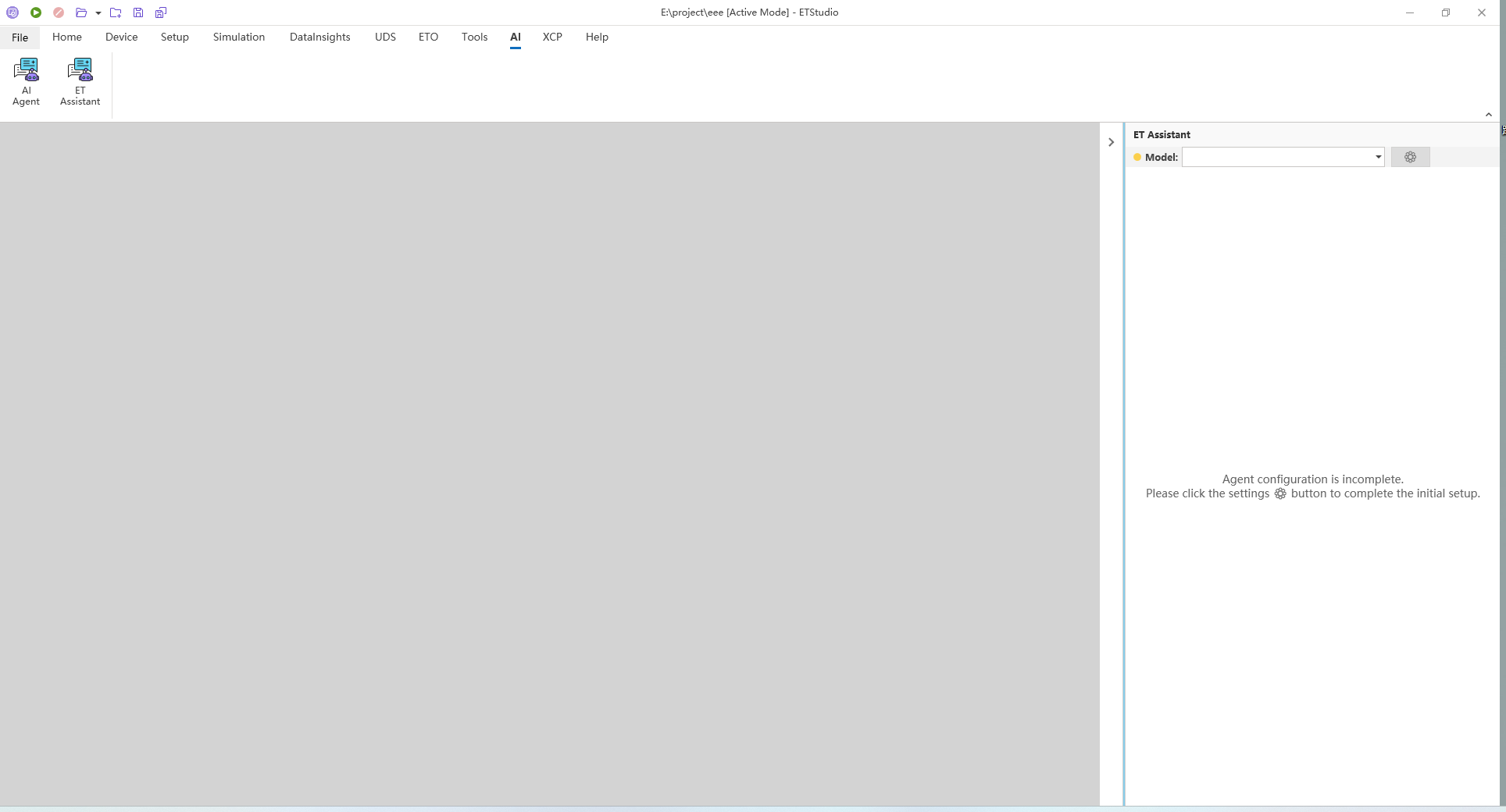
In ETStudio, navigate to "ET Assistant" through the main interface or open it via the sidebar.

At this point, since the configuration of the agent is incomplete, you need to click the configuration button in the figure to complete the configuration.
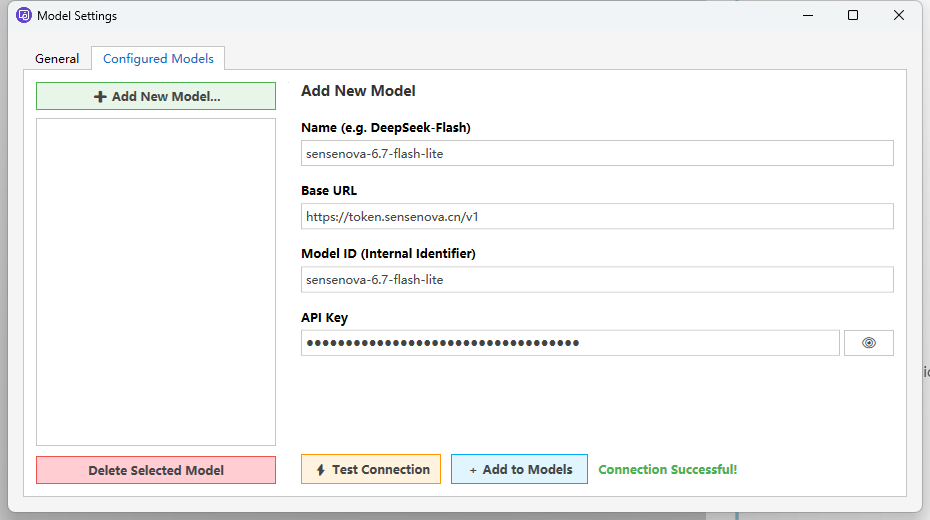
In the "Configured Models" section under the "Model Settings", add the Name, Base URL, Model ID and API Key information of the model. Then click "Test Connection" to test the connection and use "+ Add to Models" to add the model.
If the "Enable AllowList" option is selected under the "General" section of "Model Settings", a prompt to enable the whitelist will be displayed in the agent's output.

After the connection is completed, you can start conversing with the intelligent agent.
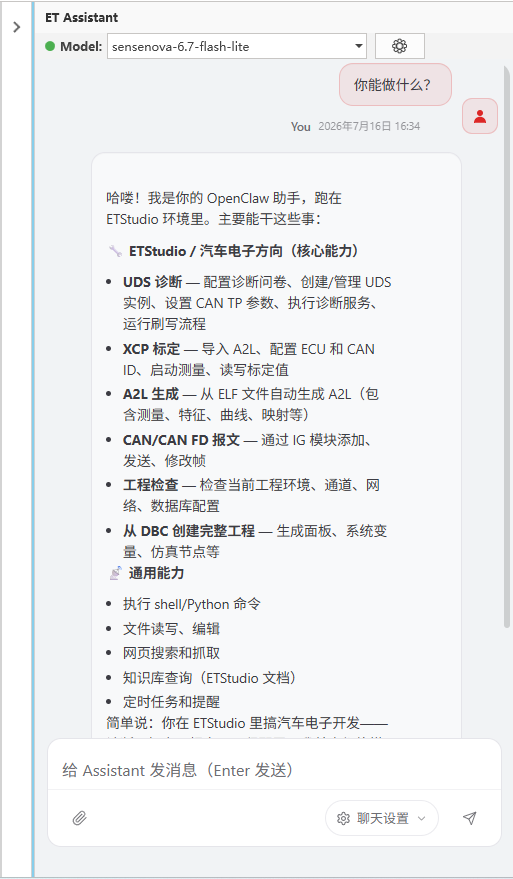
ET Assistant Skills Examples
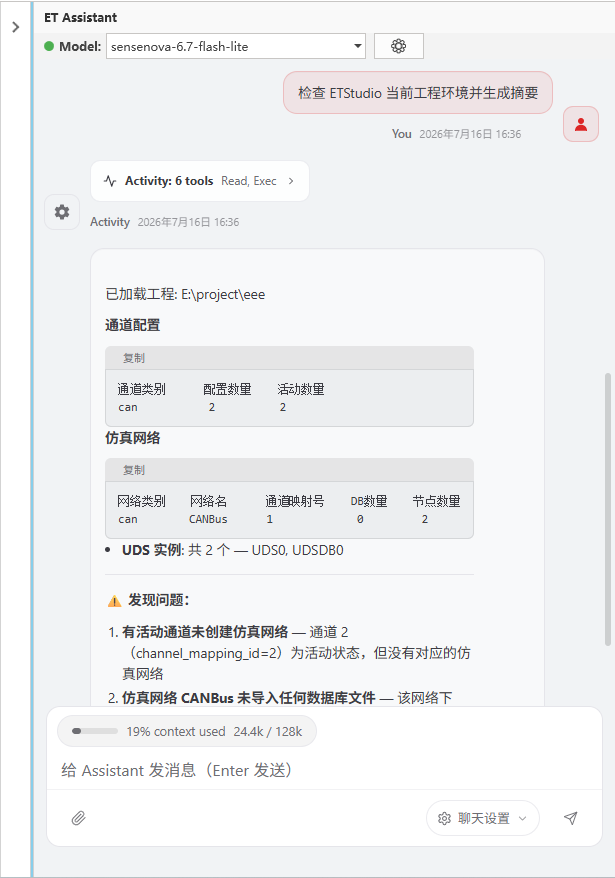
1.Check the current engineering environment of ETStudio and generate a summary.
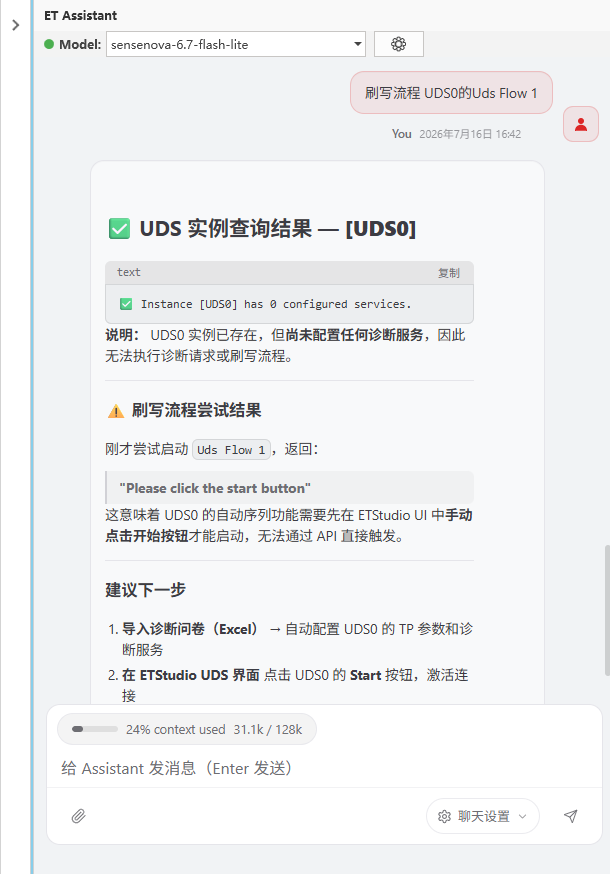
2.Diagnostic inquiry service